Compatibility
Minecraft: Java Edition
Platforms
Supported environments
90% of ad revenue goes to creators
Support creators and Modrinth ad-free with Modrinth+Creators

Details
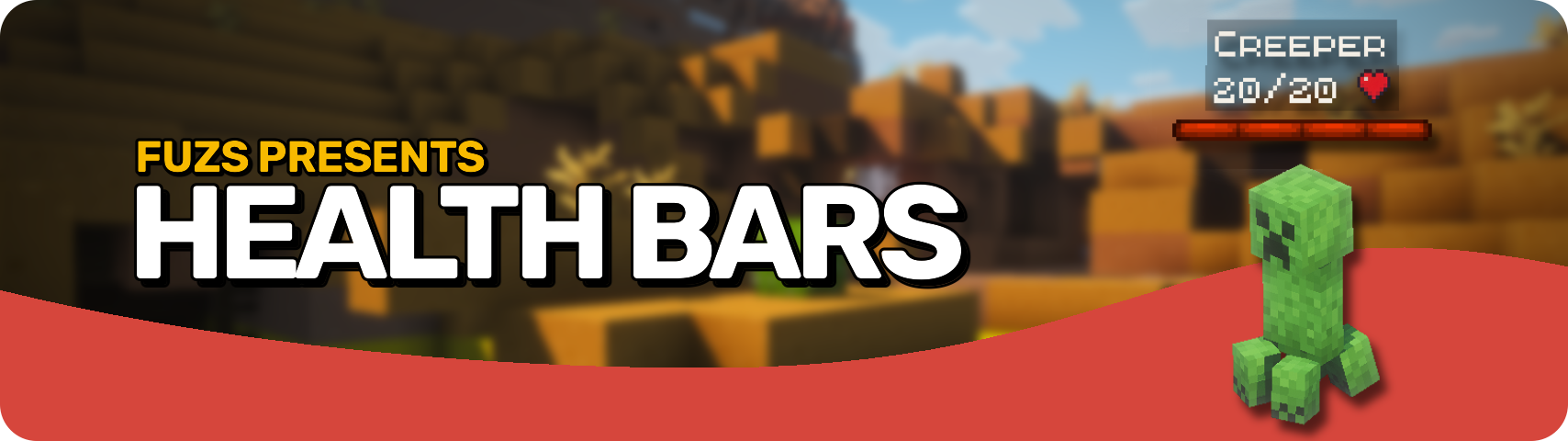








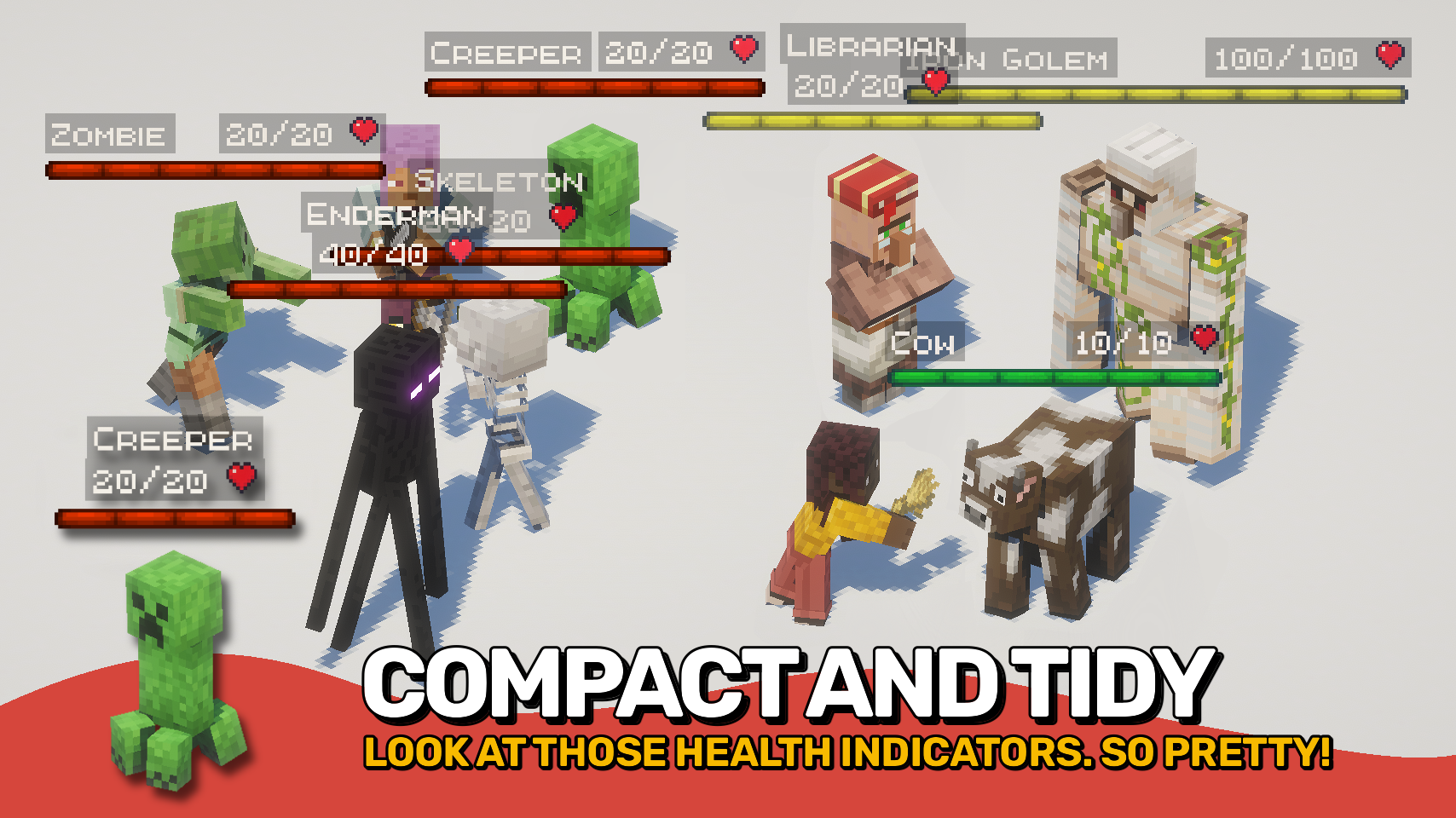
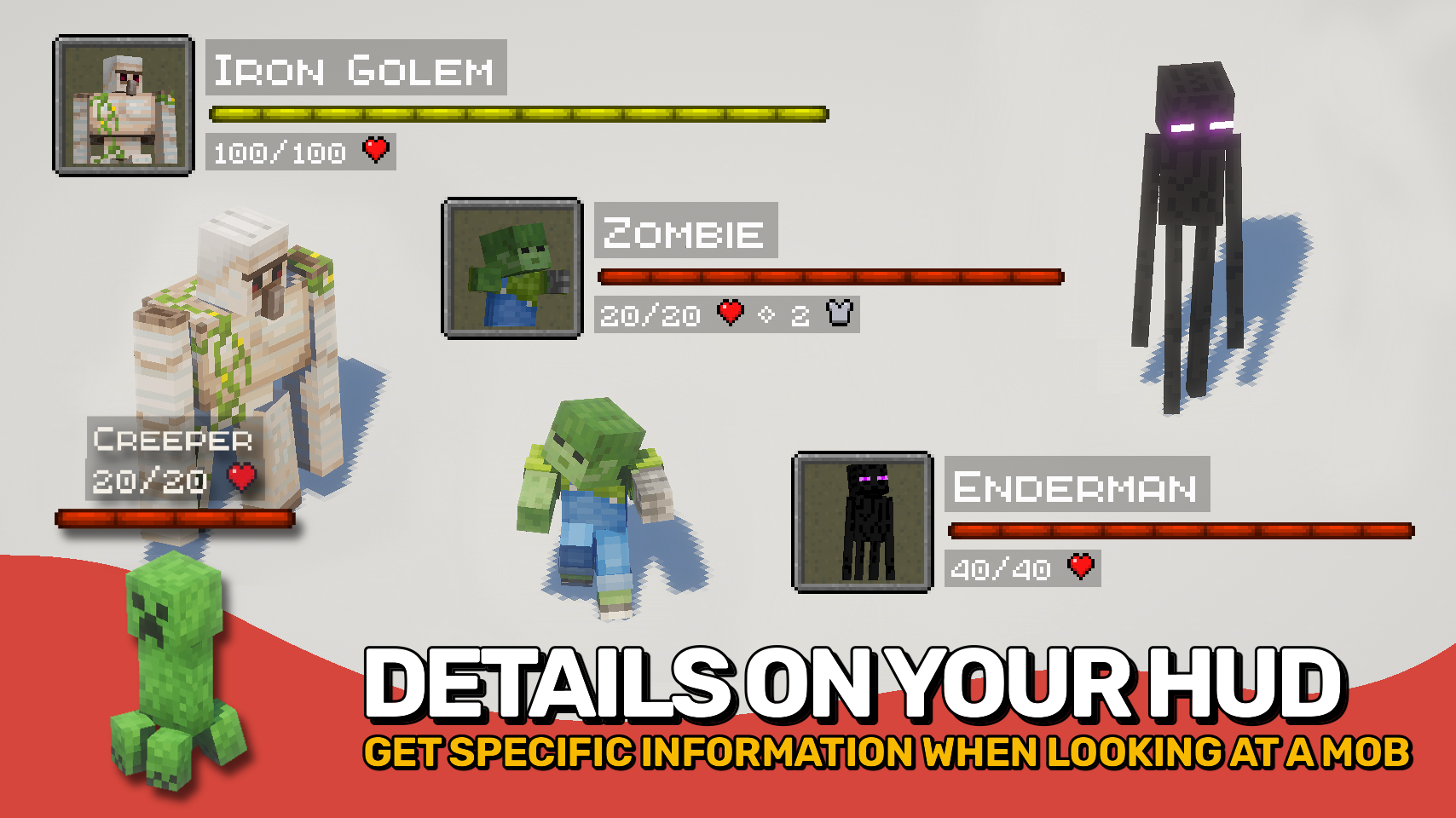
Health Bars adds smooth, colorful health displays for every mob around you. A clear, animated bar shows each mob’s name, health, and armor right on your screen, with floating damage numbers when they lose or regain health. It’s stylish, easy to read, and fully configurable to fit your setup.
Health bars also appear directly in-world above mobs, showing their status as you fight or explore. From friendly animals to powerful bosses, everything stays consistent, bright, and beautifully clear.

- ❤️ HUD Health Bars: See mob name, health, armor, and damage values in the corner of your screen.
- 👁️ In-World Bars: Show health directly above entities for a more immersive experience.
- 🎨 Beautiful & Clear: Smooth animations, bright colors, and crisp layout make it easy to read at a glance.
- ⚙️ Highly Configurable: Choose where bars appear, how wide they scale, and which mobs display them.
- 💥 Damage Numbers: Watch live damage and healing values float alongside each bar.
- 🌈 Custom Colors: Assign unique colors for monsters, animals, aquatic mobs, and more.
- 🪄 Smart Scaling: Bars grow with mob health for bosses or scale with distance for readability.
- 🧩 Full Compatibility: Works seamlessly with both vanilla and modded entities.


⏩ INSTALLATION REQUIRED ON CLIENT
⏩ REQUIRES PUZZLES LIB TO BE INSTALLED (FABRIC & NEOFORGE)
⏩ REQUIRES FABRIC API TO BE INSTALLED (FABRIC)
⏩ REQUIRES FORGE CONFIG API PORT TO BE INSTALLED (FABRIC)

If available for a mod, configuration is possible directly from in-game using the mod menu (requires Mod Menu by Prospector to be installed on Fabric). Please note that on older Minecraft versions installing Forge Config Screens is also a requirement.
For manual configuration using an external text editor all files are found at .minecraft/config, named as MOD_ID-client.toml, MOD_ID-common.toml, or MOD_ID-server.toml, depending on the type of config. Not all types might exist for a mod, if any at all.

🌟 Big thanks to ToroCraft for their timeless ToroHealth Damage Indicators mod, which served as the main inspiration for this project. As a solid foundation, it made it possible for this mod to grow far beyond with exciting new features.